
by Michael Arevalo, Psy.D., PMP on October 6, 2026

Behavioral health and IDD organizations run on workflows whether or not those workflows are written down anywhere: a new individual moving through intake, a PHQ-9 score above threshold triggering a suicide risk assessment, an individual who needs sign-off from three different roles before stepping down to a lower level of care. Some of that plays out inside the EHR. The rest happens in an email thread or whatever a staff member remembers from the last time they ran the process.
The Workflows Designer, one of the many exclusive parts of Cx360 Intelligence: The Intelligent Care Record, gives organizations a way to build that sequence themselves: multi-step, permission-gated, and configured with conditional logic, automated tasks, and role-based notifications, all without writing code or filing a request with Core. None of that runs on its own. Every step in a workflow is a form, and the logic gets configured at the form level.
Where a Workflow Can Branch
A new workflow for a mental health intake might run six steps:
- Profile form
- Referral form
- Insurance form
- PHQ-9
- Columbia Suicide Risk Assessment
- Intake form
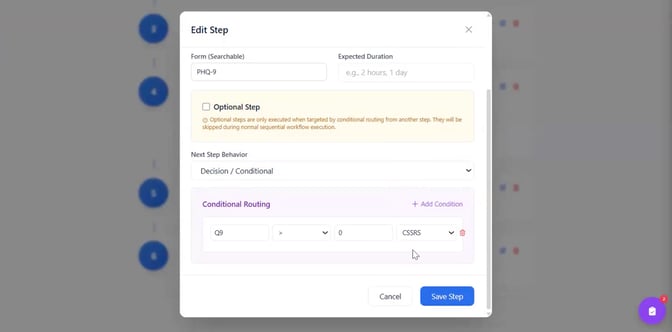
Adding a step means naming it and searching for the form to attach — a GAD-7, for example — then setting whether it's optional and what happens next: move to the next step, end the workflow, or branch based on a specific answer.
On the PHQ-9, question nine asks about suicidality. Any answer above "not at all" routes the workflow to the Columbia Suicide Risk Assessment, and that same field can also generate a to-do and notify the appropriate staff member right away. That logic isn't limited to clinical fields. In the Workflows Designer, it can be configured on any field in the form.
The six-step example above is a fairly simple case. Workflows can run considerably longer, with as many forms and branch points as an organization needs.
Two Ways to Start One Workflow
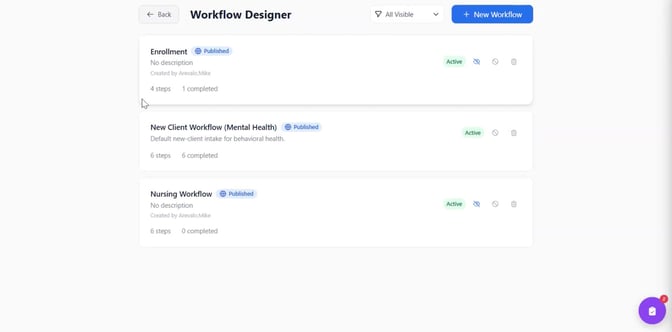
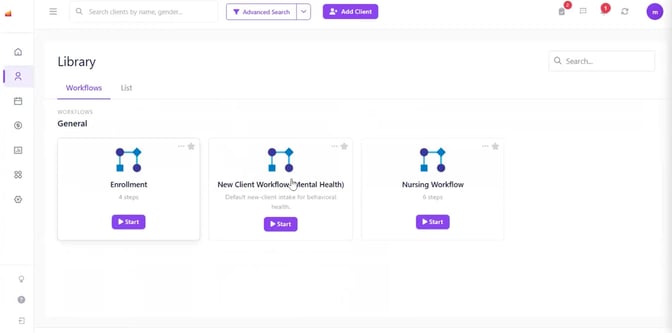
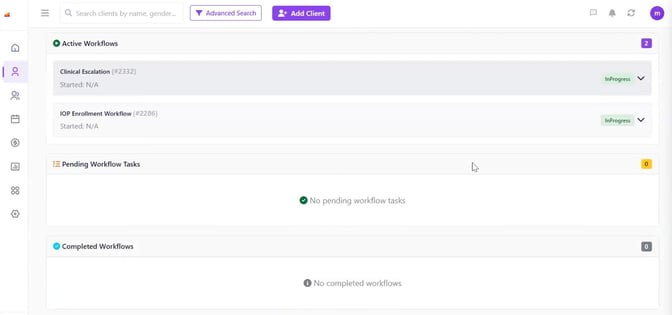
Within Cx360 Intelligence, staff can launch a workflow from the general workflow area, choosing among whatever their access allows, or from a specific individual's chart, where a dedicated workflow icon shows every workflow available for that person. An individual enrolled in both a clinical escalation workflow and an intensive outpatient (IOP) enrollment workflow will show both there, each with a dropdown listing every completed step, who completed it, when, and how long it took.
Saving a step prompts the next one automatically, and a "Continue Workflow" option means staff can step away mid-process and pick up exactly where they left off, without retracing steps that are already done.
What Workflow Duration Reveals
If a new workflow takes 20 minutes to complete in one program and 10 in another, that's worth a direct question: What is the first program doing that the second isn't, and does it need to keep doing it?
Supervisors can check workflow status directly or build a report showing exactly which workflows across a caseload are only partially complete, without pulling a biller or clinician off their own work to ask. That reporting layer runs on the same infrastructure that powers other parts of the Intelligent Care Record, including the Revenue Cycle Command Center.
Four Self-Service Builders, One Permission Structure
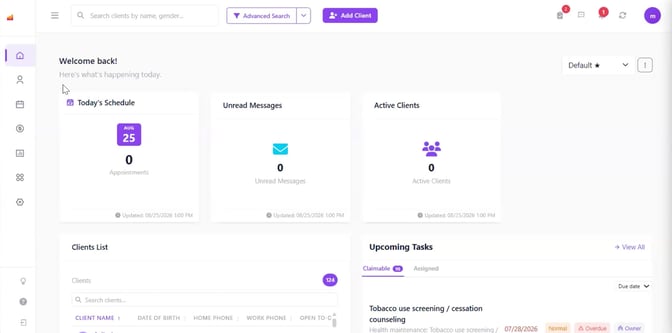
The Workflows Designer is currently one of four self-service tools built into the Intelligent Care Record, alongside the Forms Designer, Reports Designer, and Dashboard Designer. Each is restricted by role, so decisions about who can configure a workflow, build a form, set up a report, or configure a dashboard stay inside the organization's own permission structure.
Before the First Workflow Goes Live
Organizations automating a handoff for the first time usually run into the same issue before they ever open the Workflows Designer: what's documented and what staff do have drifted apart. The starting point is to map the real sequence first, including whatever currently happens outside the EHR — a form gets completed, then emailed to someone who has to respond before a signature can happen, before it moves on to the next person — and to check that against how staff are working day to day, separate from what's written down. With the Workflows Designer, the email that used to sit waiting for a signature becomes a step with routing and a notification attached, and the same holds for every handoff the mapping turns up.
What Changes When Workflows Are Followed
What's documented and what staff do rarely match for long. The Workflows Designer keeps approval routing, to-dos, and notifications carrying through every step, and the duration data behind it shows exactly where that mismatch costs a program the most time.
See how the Workflows Designer fits your organization's process. Schedule a demo of Cx360 Intelligence: The Intelligent Care Record and walk through how forms, workflows, and reporting connect end to end.
Frequently Asked Questions About the Workflows Designer
What is the Workflows Designer?
A self-service tool within Cx360 Intelligence: The Intelligent Care Record that lets organizations build their own multi-step workflows, without writing code or submitting a request to Core Solutions.
How does a workflow relate to forms?
In the Workflows Designer, every step in a workflow is a form. Approval routing, to-dos, and notifications configured at the form level carry through once forms are sequenced into a workflow.
How does decisional routing work?
When working within the Workflows Designer, a step can move to the next step, end the workflow, or branch based on the answer in a specific field, and that routing can be set on any field, not just clinical ones — a PHQ-9 response routing to a Columbia Suicide Risk Assessment is one example.
How is workflow duration data used?
The Workflows Designer tracks how long each step took, who completed it, and when, so supervisors and program leaders can compare how the same workflow performs across programs.


One email a month from Core. Product updates, tips, and news, straight to your inbox.
